Home › Blog › Conference Room with Projector: What to Check
Conference Room with Projector: What to Check
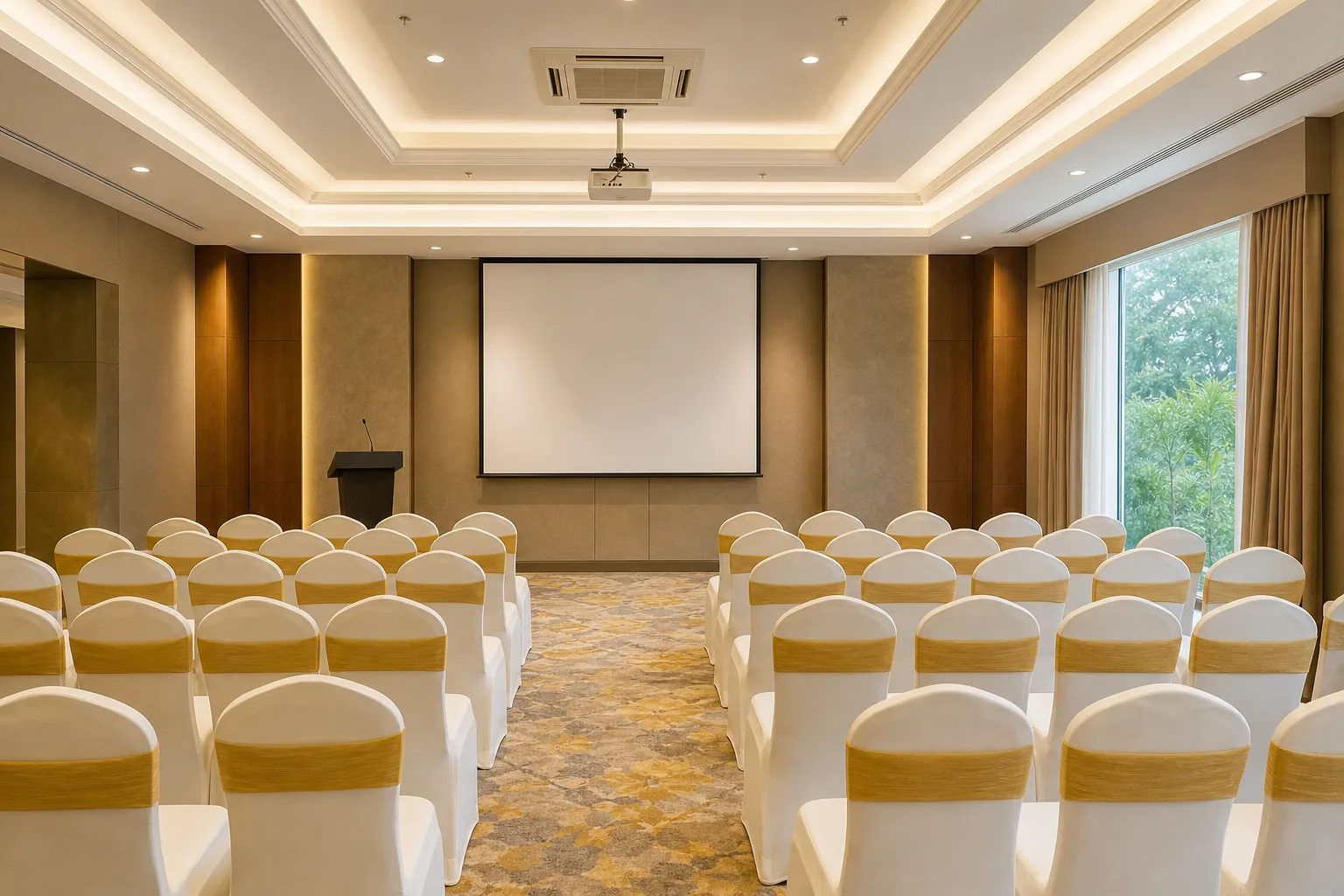
A conference room with a projector can make a meeting easier to follow, but only if people at the back can read the screen and presenters can connect without delay. Check the room, screen, brightness and connections before you book. Hotel Shiny Grand’s Banquet Hall has a projector and screen, with theatre-style seating for up to 100 guests.
What a Conference Room Projector Does
A conference room projector displays a laptop, video or presentation on a large screen so a group can view the same content. In a hybrid meeting, the image might show slides alongside remote participants. The projector handles the picture, but it doesn’t automatically provide video calls, room audio or meeting software.
That difference matters when you’re planning a work session. A projector and screen cover visual display. A sound system and microphone help people hear and speak across the room. Video calls also need a camera and a supported conferencing setup. Ask what is included, then match those items to the way your team will meet.
Hotel Shiny Grand includes a projector and screen in its Banquet Hall, along with a sound system, microphone, whiteboard and Wi-Fi. The hall can seat 100 in theatre style, 60 in classroom layout or 30 in U-shape. For a meeting near Guwahati Airport, those details help you judge the room against your agenda and headcount.
Before confirming, ask who will set up the equipment and when you can test it. Bring the laptop and any adapters your presenter will use. A short test can catch a loose cable or the wrong input before attendees arrive.
For a projector’s light source, operating life and installation features, compare the manufacturer’s stated specifications.
If guests are travelling for the meeting, check the hotel room cancellation policy and booking terms as well. That gives your organiser one more detail to settle before attendees finalise their plans.
Brightness, Resolution and Room Size
Brightness, measured in lumens, affects how visible an image is when room lights are on. A small, dim meeting room puts less demand on a projector than a large hall with daylight or bright overhead lights. Think about how the room will actually be used. If people need to take notes, full darkness may not suit the meeting.
There isn’t one brightness figure that fits every room. Larger groups and brighter rooms need a brighter image. Screen size and the amount of light in the room still matter.
Resolution affects how sharp text and images look. A standard presentation with large headings has different needs from a spreadsheet full of small numbers. If your slides use dense tables, share a sample slide with the venue and check that the text stays legible from the back row. Higher resolution can show more detail, but it can’t fix text that is too small.
Contrast is the difference between light and dark parts of an image. It affects how clearly text stands out from its background. A bright room can make that contrast seem weaker. Use dark text on a light background, keep slide layouts uncluttered and test the image with the room lights set as they’ll be during the meeting.
Room size also affects where the projector can sit and how large the picture can be. The key measurement is throw distance, the gap between the projector lens and the screen. A projector’s throw ratio links that distance to the image width. For instance, a ratio of 1.5:1 means the lens needs about 1.5 units of distance for each unit of image width. Check the specific model’s manual before planning a fixed mount.
For an existing venue, you don’t need to calculate the throw from scratch. Ask whether the image fills the screen from the planned table or ceiling position. Then check the viewing angle from the farthest seat. A clear view for the front row doesn’t prove that the back row can read small labels.
For a Guwahati meeting, share your expected headcount and slide type with the venue. Hotel Shiny Grand’s 100-seat theatre layout is suited to a larger presentation, while classroom seating holds up to 60. Pick the layout based on what attendees need to see and do, not just the maximum capacity.
Connections, Video Meetings and Room Control
HDMI is a common wired link between a laptop and a projector. USB can be useful for a presentation file or an adapter, but the projector must support the intended use. Check the laptop ports before the event. If the presenter’s device needs an adapter, pack it rather than assuming the venue will have the right one.
Wireless sharing can reduce cable swapping, but it depends on compatible devices and a working connection. Ask how guests connect, whether they need to install anything, and what happens if the network is busy. Keep a wired option ready for important presentations. Bluetooth is usually more relevant to audio or device control than to sending a full presentation image, so confirm its purpose before relying on it.
A projector by itself doesn’t run a video call. Ask whether the room has the camera, microphone and speaker setup your meeting needs, and whether the system supports the platform your team uses. Joining a meeting across room systems depends on supported standards and compatible equipment. Don’t assume that a room can join every platform just because it has Wi-Fi.
For a hybrid meeting, test both sides of the call. Check that people in the room can hear remote attendees through the sound system. Then ask someone joining remotely whether they can hear questions from the room. A microphone placed too far from the speakers may miss those questions even when the slides look fine.
If a company manages many meeting rooms, central control can help staff check device status and set basic room settings remotely. For one event, the simpler question is whether staff know how to switch inputs, adjust the image and restore the setup if a presenter disconnects. Ask who can help during the meeting and how quickly they can respond.
Hotel Shiny Grand’s meeting setup includes a sound system, microphone and Wi-Fi alongside the projector and screen. Share your video-call plan in advance so the team can confirm what your group needs to bring or test. The room’s listed equipment is a starting point, not a substitute for checking a specific call setup.
Mounting, Operation and Ongoing Care
A ceiling-mounted projector stays in one place and can keep the presentation area clear. A portable unit can be moved between rooms, but it needs a stable surface and time for setup. Either way, the lens must line up with the screen. Moving the projector off-centre or tilting it may distort the image unless the unit can correct the picture.
For a hired venue, ask whether the projector is already installed and ready to use. If it is portable, find out where it will sit and whether the cable can reach the presenter’s laptop without crossing a walkway. Keep the route tidy so attendees don’t trip when they leave their seats.
At home or in an office, a fixed mount makes sense when the room layout rarely changes. A portable setup can suit a team that uses different meeting spaces. In a hotel hall, the venue’s existing setup saves organisers from bringing and aligning their own equipment. Still, plan a test before the event starts.
Projectors also need room to release heat. Avoid blocking vents with a ceiling panel, curtain or stack of materials. Fan noise can become distracting during a quiet presentation, so listen to the unit during your test. Check its product details for noise and heat information rather than relying on a general figure that may not fit that model.
Care depends on the model and light source. Some units use replaceable lamps; others use a lamp-free light source. Follow the maker’s cleaning and service instructions, and don’t open a unit that is still hot. If the room’s equipment is maintained by venue staff, ask them to confirm the image and connections before your slot.
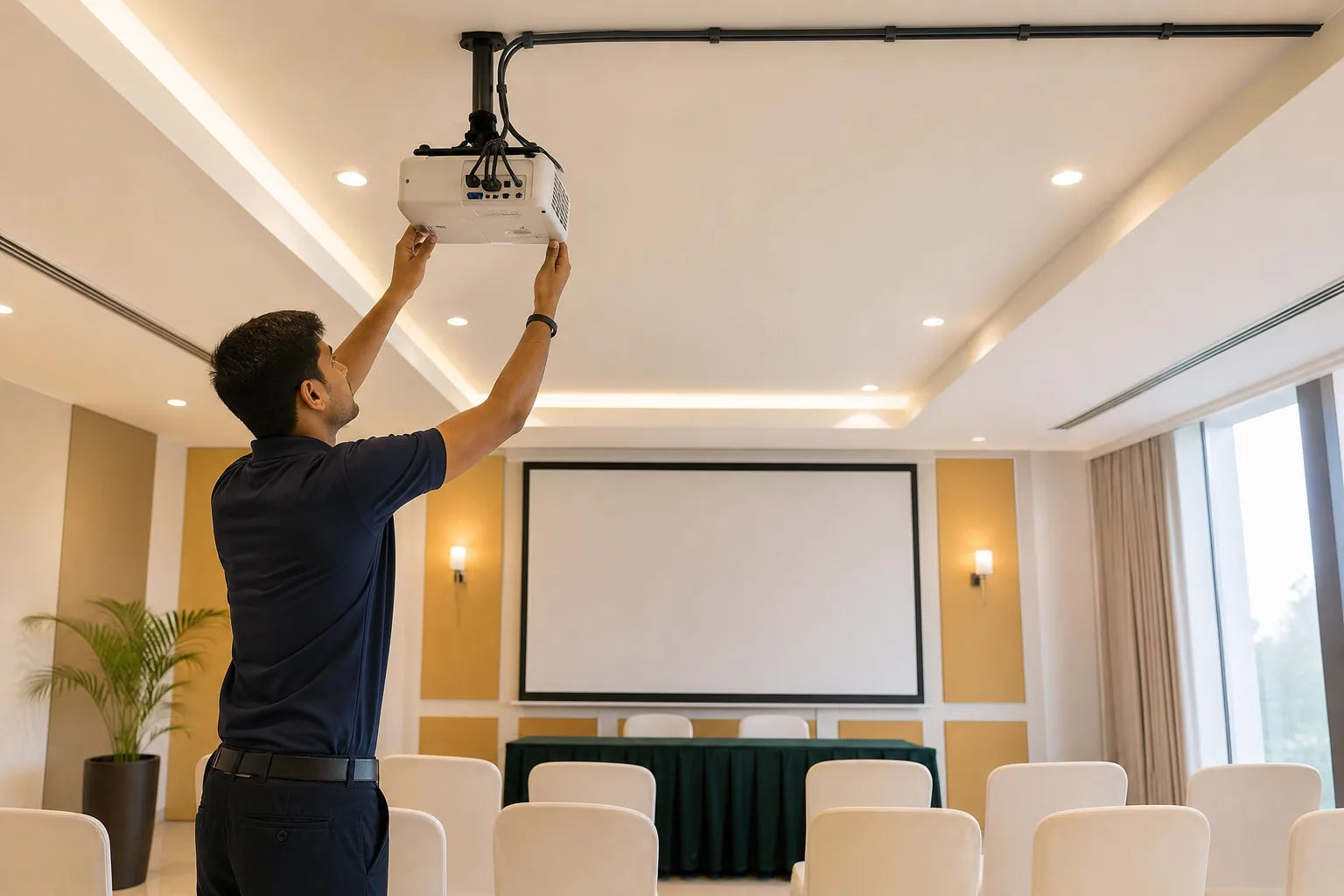
At Hotel Shiny Grand, the projector and screen are part of the meeting AV setup. Confirm the room arrangement and test plan with the team when you discuss your event. A short check before guests arrive can prevent a long pause once the presentation begins.
Projectors, Large Displays and Budget Choices
A projector can show a large image without a large display taking up the front wall. It works well when the room has a suitable screen and the picture remains bright enough under the planned lighting. A large display gives a fixed, bright surface, but its size and placement can limit how many people see the content clearly.
LED walls are another option for some event spaces. They use a wall of display panels rather than a projected image. The right choice depends on the room, viewing distance, lighting and the kind of content you plan to show. Don’t choose by screen size alone. Ask to see the image from the back of the room and check whether small text is readable.
Laser projectors use a laser light source instead of a traditional lamp. Lamp-free models may reduce the need for regular lamp changes, but the purchase and service costs depend on the model and the venue’s setup. Compare the total cost over the time you expect to use the equipment, not only the first purchase price. For a one-off event, the venue’s included AV may be simpler than buying equipment.
For organisers booking a hall, focus on the full meeting cost and what the booking includes. Hotel Shiny Grand’s hall rental starts at Rs 25,000 and may be waived for 60 or more guests. Half-day corporate meeting packages start from Rs 15,000 and are negotiable. Ask for an itemised quote so you can see the cost and terms that apply to your event.
The Banquet Hall seats up to 100 in theatre style and includes a projector, screen, sound system, microphone, whiteboard and Wi-Fi. Smaller layouts have lower capacities, so check your seating plan before you settle on the headcount. Event details and the hall’s setup are available on the Hotel Shiny Grand banquet page.
If your team is comparing projection with a large display for a permanent office room, consider how often the room changes use. A fixed display may suit a room used for frequent short meetings. A projector may suit presentations for a larger group, especially when the venue already has the screen and setup. For a hotel meeting, ask to test the actual room rather than making a decision from equipment labels alone.
Frequently Asked Questions
What should I check before booking a conference room with a projector?
Check that the image is bright enough for the room, that the screen suits the audience size, and that your laptop can connect. Confirm whether a sound system and microphone are included if you need them. For a hybrid call, ask about the camera and supported meeting setup. Arrange a test with your own device before attendees arrive.
Is a projector enough for a video meeting?
No, a projector only displays the image. A video meeting may also need a camera, microphone, speakers and a system that supports your chosen platform. Ask the venue to confirm each part rather than assuming Wi-Fi and a screen cover the full call setup. Test with a remote participant if the meeting depends on two-way audio.
How do I know if a projector will work in a bright room?
Ask about the projector’s brightness and test the image with the room lights set as they’ll be during the meeting. Ambient light affects how clearly the image appears, as do screen size and viewing distance. Check readability from the back row, especially if your slides contain small text or detailed charts.
What projector and meeting equipment does Hotel Shiny Grand include?
Hotel Shiny Grand’s Banquet Hall includes a projector and screen, sound system, microphone, whiteboard and Wi-Fi. The hall holds up to 100 guests in theatre style. Classroom seating holds 60, while U-shape seating holds 30. Share your meeting plan with the team so you can confirm the layout and test arrangements.
How much does a meeting hall at Hotel Shiny Grand cost?
Hall rental starts from Rs 25,000 and is waived for 60 or more guests. Half-day corporate meeting packages start from Rs 15,000 and are negotiable. The final amount depends on the event arrangements, so request an itemised quote for your guest count, seating style and catering needs before confirming.
For official information, see Assam Tourism and India.gov.in.
Conclusion
Choose a projector setup that fits the room and your meeting format, then test it with the presenter’s device before guests arrive. For a Guwahati meeting with included AV, check the Banquet Hall at Hotel Shiny Grand and request an event quote through the direct booking page. You can also WhatsApp +91 91815 56418.