Home › Blog › U-Shape Seating Arrangement: Layout and Planning
U-Shape Seating Arrangement: Layout and Planning
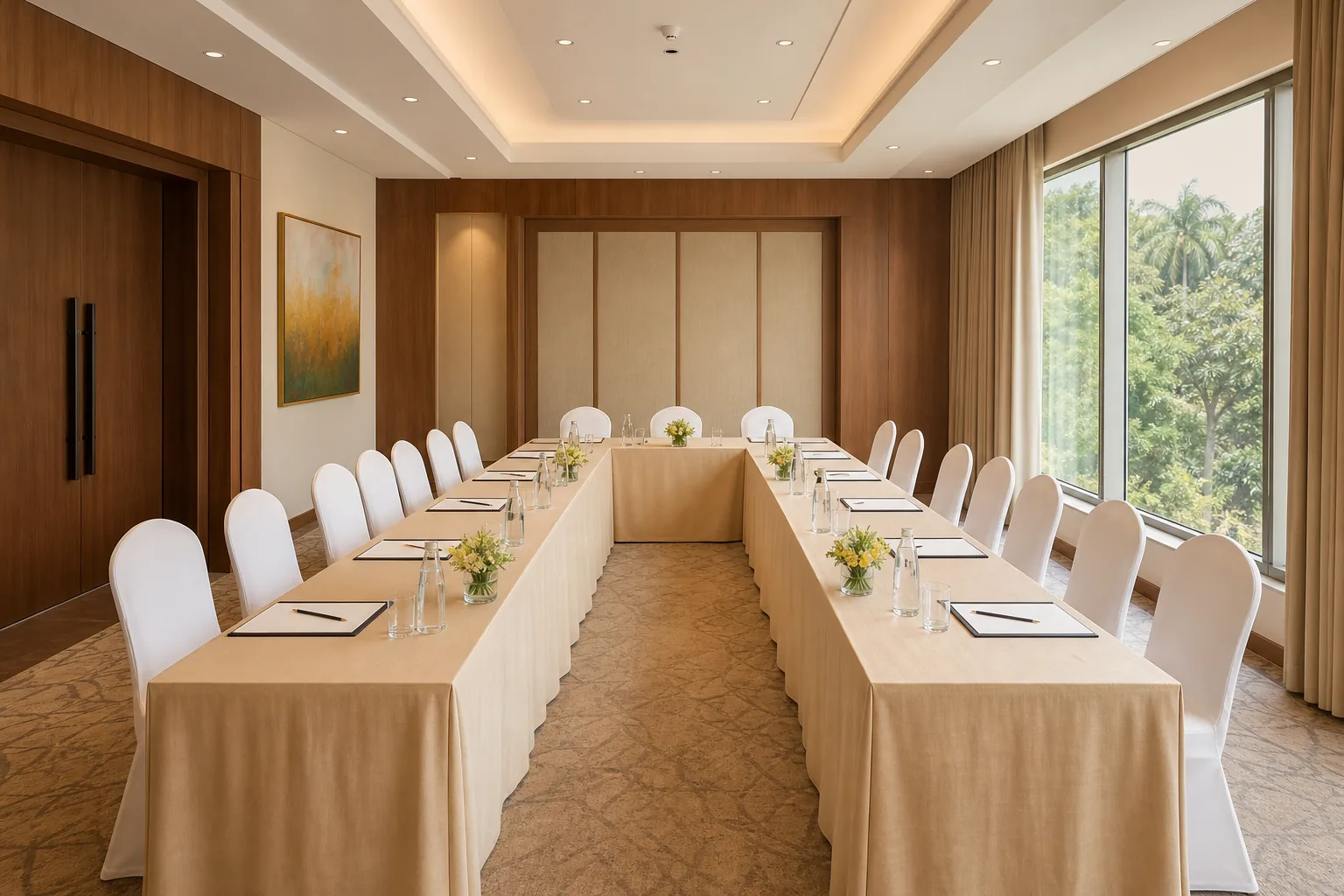
A U-shaped seating arrangement puts people around three sides of an open centre, so they can see the speaker and one another. It works well for small training groups and discussions, but uses more floor space than rows of chairs. Use this guide to plan seats, sightlines and room flow before you confirm your venue.
U-Shape Seating: Uses, Benefits and Limitations
A U-shaped layout has tables arranged in three connected sides, with the open end facing a presenter or screen. Participants sit along the outside edge. The open centre gives a facilitator room to move into the group instead of speaking from a fixed spot.
It suits sessions where people need to talk to one another. Think of a training session with questions, a small workshop, a classroom discussion or a meeting where each person may speak. A speaker can address the full group, then invite comments across the open centre.
The layout also changes how a room feels. With no row of seats facing only one direction, participants can see faces and notice when someone wants to speak. That can make turn-taking easier. It doesn't guarantee that people will take part, though. The facilitator still needs to invite quieter attendees into the discussion.
The presenter can walk into the U to engage with participants.
Where the layout can fall short
The open centre takes up floor area that could otherwise hold seats. The arrangement can run out of useful table length before the room itself is full. Treat around 40 people as a rough usable upper limit for a U-shape, not a promise. The shape of the tables and room can reduce that number.
It can also make writing or screen viewing awkward. People seated along the sides may have to turn their bodies to face a display. If the session relies on long periods of note-taking, rows or classroom-style tables may be easier. For a larger audience, a theatre layout often gives more seats in the same hall.
Use this format when interaction is part of the session, and choose another layout when maximum capacity matters more.
Room-Planning Resource: Seats, Tables and Spacing
Start with the number of people who must sit at the same time. Then count the facilitator, any panel members and anyone who needs a separate place for equipment. Don't plan by the room's headline capacity alone. Capacity changes with the layout.
Sketch the room as a rectangle. Mark the entry, doors, fixed pillars, screens and any stage area. Draw the U around the open centre, leaving the open end aimed at the screen or speaker. If the screen sits to one side, test the view from the seats at both ends before settling the layout.
Choose table sections that can form two side runs and one back run. The U can be wide or narrow, but people should be able to sit down and get out without shifting several chairs. Leave a clear route from the entry to seats and to the open end. Check that the route stays clear when chairs are occupied.
There isn't one spacing figure that works for every room and table. Measure the actual table depth and chair footprint, then mark the planned aisle on the floor with removable tape. Walk the route with chairs pulled out. If someone has to turn sideways or squeeze past a seated guest, adjust the plan.
For an accessible setup, ask the venue to plan a step-free route and a place where a wheelchair user can join the group at the table. Confirm the route to the entrance and facilities as well. These are venue-specific checks, so agree on them before the layout is final.
A simple seat-count method
Use a paper sketch or spreadsheet with one line for each side of the U. Add seat labels in order, starting from the left end of the back table. Mark the facilitator separately so the count doesn't quietly include a presenter in a participant total.
- Back side: seats 1 to [number]
- Left side: seats [next number] to [number]
- Right side: seats [next number] to [number]
- Open end: presenter, screen or entry, as planned
Keep a note of which seats have the clearest screen view and which sit nearest the entry. That makes it easier to place a speaker, interpreter or attendee who needs a particular position. Once the sketch is ready, check the final count against the venue's capacity for this exact layout.
Layout Reference: U-Shape Compared with Other Setups
The best layout depends on what guests will do during the session. A discussion needs people to face one another. A talk needs a clear view of the presenter. A training day may need writing space. Compare the task first, then check how many people the room can seat in that format.
| Layout | Good fit | Planning trade-off | What to confirm |
|---|---|---|---|
| U-shape | Small training groups and discussions | Uses an open centre and needs table space around three sides | Seats in the planned U, screen views and access route |
| Theatre | Presentations with a larger audience | Less table space for notes or group work | Seat count, stage or speaker position and clear aisles |
| Classroom | Training where attendees need a writing surface | Rows can make peer discussion less direct | Desk space, view from the back and room for movement |
| Boardroom | Small meetings centred on one table | People may sit close together around a fixed table shape | Table size, chair count and view of any screen |
These are working distinctions, not fixed rules. A classroom setup can include discussion breaks. A U-shape can work for a presentation if the group is small and each person can see the screen. Ask the venue to show the actual arrangement, rather than relying on a capacity figure for another style.
At Hotel Shiny Grand, the banquet hall can seat 30 in a U-shape, 60 in classroom style and 100 in theatre style. Those figures show how much the layout changes the headcount in one hall. A 45-person training group, for example, exceeds the U-shape capacity there, but may fit classroom seating if the session needs desks.
For other banquet formats, see the hotel's banquet seating layout guide. It can help you think through when group interaction matters more than fitting the highest possible number of guests.
Choose by session needs, then check the seat count in that exact arrangement. Don't assume a room's largest capacity applies to every format.
Setup Checklist for Hybrid Meetings, Sound and Access
Hybrid sessions add a second audience: people in the room and people joining online. The remote group needs to see the speaker and hear whoever has the floor. A camera pointed only at the open end may miss participants along the sides.
Place the camera and screen
Set the camera near the main display, facing into the open side of the U. Check that it can take in the full group without the nearest seats blocking the view. If one camera can't show both the speaker and the people taking part, decide which view matters most during each session and plan camera changes in advance.
Put the screen where people in the room can see it without turning sharply. Remote participants should appear on a display visible to the group, so speakers can look towards them during questions. Test the setup from the far corners, not just from the presenter's position.
Check sound before people arrive
Hard walls and an open centre can make voices bounce around. Keep the microphone close to the person speaking and ask people not to talk over one another. For a large U, test whether someone at the far end can hear a normal speaking voice. Move speakers so the microphone doesn't pick up its own amplified sound.
For online attendees, do a short test call from the actual room. Ask someone joining remotely to confirm that speech is clear from each side of the layout. If a microphone is passed around, mark where it will rest between turns. A predictable hand-off is better than a long pause while someone searches for it.
Access and room flow
Before setup, walk the route from the entrance to the seating area. Keep bags and spare chairs out of the path. Leave a place for mobility devices at the table, not apart from the group, and confirm that the person can reach the screen or speaker without crossing through the middle of a discussion.
Hotel Shiny Grand's meeting setup includes a projector and screen, sound system, microphone, whiteboard and fast Wi-Fi. Its hall can also be arranged in classroom or theatre style if the group size or meeting format calls for a different plan.
Use a corporate event planning checklist to keep room needs, AV and attendee numbers in the same brief. Send the venue your seating sketch before the session so the team can confirm whether the proposed layout fits.
Adaptable U-Shape Templates and Low-Cost Setup Ideas
A useful seating plan can be a simple sketch. It doesn't need special design software. Draw a three-sided outline, label each seat and add the presenter, screen, camera and entrance. Save a blank copy so you can change the count for the next session.
Copy-and-edit chart
Use this outline as a starting point. Replace each bracket with a name, role or seat number. Keep the opening clear unless the presenter needs to stand there.
SCREEN [FACILITATOR / PRESENTER] LEFT SIDE OPEN CENTRE RIGHT SIDE [Seat 1] [Seat 6] [Seat 2] [Seat 5] [Seat 3] [Seat 4] [Back table: seats 7, 8, 9] ENTRY: [mark door] CAMERA: [mark position]
Adjust the seat numbers to match the real table shape. For a long group, label seats around the U in sequence instead of assigning names too early. That makes it easier to handle a late change without redoing the full chart.
Low-cost planning can be as simple as reusing the venue's tables and chairs, marking the floor with removable tape, and printing a one-page seat chart. Ask which furniture is included before arranging extra rentals. A printed plan also gives the setup team one reference instead of several messages that may conflict.
For a session with small groups, leave a few table sections unjoined until the group arrives. The organiser can then widen the open centre or shorten one side without shifting the whole room. Don't make that change without checking the exit route and sightlines again.
Plan a second version of the sketch for a larger headcount. If a U-shape no longer fits, show the preferred backup, such as classroom seating for written exercises or theatre seating for a talk. This stops a last-minute change from becoming an improvised chair shuffle.
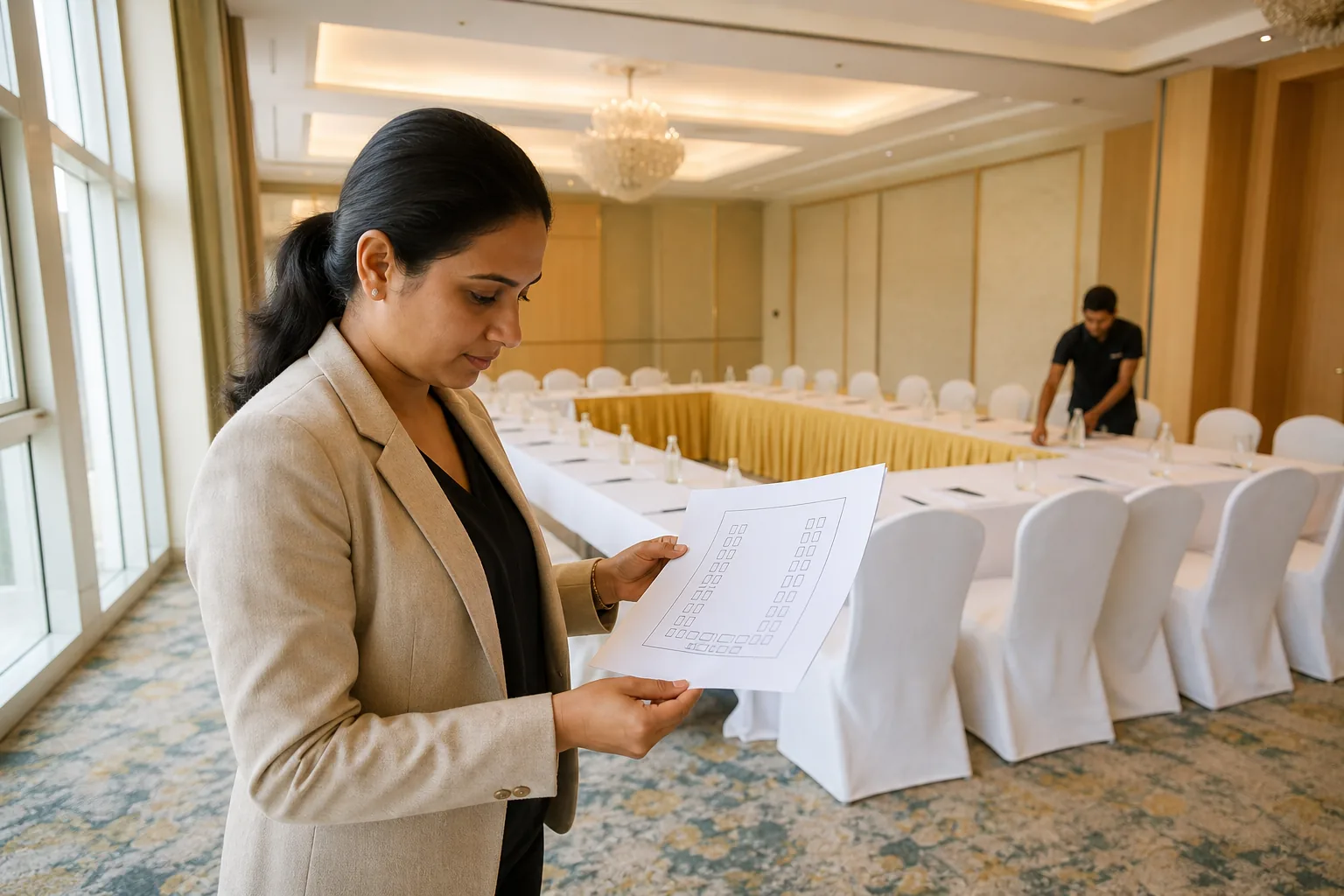
Keep the template focused on room decisions. Add seat numbers only after the venue confirms the layout and count. Then share the final chart with the facilitator and setup team.
Guwahati Venue Checklist: Capacity, Costs and Questions
For a Guwahati meeting or event, ask for capacity by layout, not just the hall's maximum number. A venue may fit a large audience in theatre style and far fewer people around tables. State your headcount and describe the work people will do during the event.
Ask whether the quoted room setup includes the tables and chairs, and confirm who will arrange them. Share the position of the speaker and screen. If people need to write, bring laptops or join online, explain that before the venue plans the room.
Questions to ask before you confirm
- How many people can sit in this exact U-shape, with the presenter included or excluded?
- Can the room fit the planned tables while keeping the entry route clear?
- Where will the screen, camera and microphone go?
- Can the layout include an accessible place at the table and a clear route to it?
- What is included in the hall hire, and what costs extra?
- Can the room change to classroom or theatre style if attendance changes?
- Is there a minimum guest count for catering?
Hotel Shiny Grand's air-conditioned banquet hall seats up to 30 in a U-shape. It holds up to 60 in classroom style or 100 in theatre style. Catering is available for any guest count, tailored to your requirements, so a smaller meeting organiser should ask about the hall setup and costs for their event before making plans around catering.
Hall rental starts from Rs 25,000 and is waived for 60 or more guests. Per-plate catering is Rs 650 to Rs 750 for Silver, Rs 850 to Rs 950 for Gold, and Rs 1,100 to Rs 1,250 for Platinum. Ask for an itemised quote that states the layout, guest count, menu package, hall rental and applicable taxes.
For a half-day corporate meeting, packages start from Rs 15,000 and are negotiable. They include working lunch, tea and coffee, with GST invoicing available. Confirm the final package and seating plan together, since the number of attendees and the chosen layout affect the room setup.
Hotel Shiny Grand is near Guwahati Airport and has rooms on site for out-of-town attendees. That can help when a meeting includes guests arriving from outside the city, but the seating plan still needs to match the event's purpose and headcount.
Get the capacity and costs in writing before you pay an advance. For a U-shape, the deciding number is the count in that arrangement, not the largest number the hall can hold.
Frequently Asked Questions
What is a U-shaped seating arrangement?
A U-shaped seating arrangement places tables on three sides of an open centre, with chairs along the outside. Participants can see the facilitator and many of the other attendees. The open side usually faces a screen or speaker. It suits small discussions and training sessions, but takes more room than rows of chairs.
How many people can sit in a U-shape?
The number depends on the room, table size and amount of clear space needed around chairs. Around 40 people is a rough usable ceiling for many U-shape setups, not a universal limit. At Hotel Shiny Grand, the banquet hall seats up to 30 in this layout. Confirm the count for your exact plan.
Is a U-shape good for a training session?
Yes, it can work well when a small group needs to ask questions and speak with one another. The facilitator can address the group from the open end or move into the centre. If attendees need a large writing surface, a classroom layout may work better. Choose based on the session tasks.
How much space should be left between U-shaped tables?
There isn't one spacing figure that suits every table and room. Measure the tables and chairs you plan to use, then test the route with chairs pulled out. Keep the path from the entrance clear and make sure people can leave their seats without moving other chairs. Ask the venue to confirm access needs.
Can a U-shaped meeting room work for hybrid meetings?
Yes, if remote attendees can see the group and hear each speaker. Place the camera near the screen and test its view from the far ends of the U. Run a test call before the meeting. If one camera cannot show the whole group clearly, plan how the view will change during discussion.
Plan the Layout Around the Session
For official information, see Assam Tourism and India.gov.in.
Use a U-shape when face-to-face discussion matters and the group fits the room. For larger meetings, ask the venue to compare classroom or theatre seating against your needs. If you're planning a Guwahati meeting, review Hotel Shiny Grand's banquet hall details and share your headcount and preferred layout through its website before confirming. You can also WhatsApp +91 91815 56418.